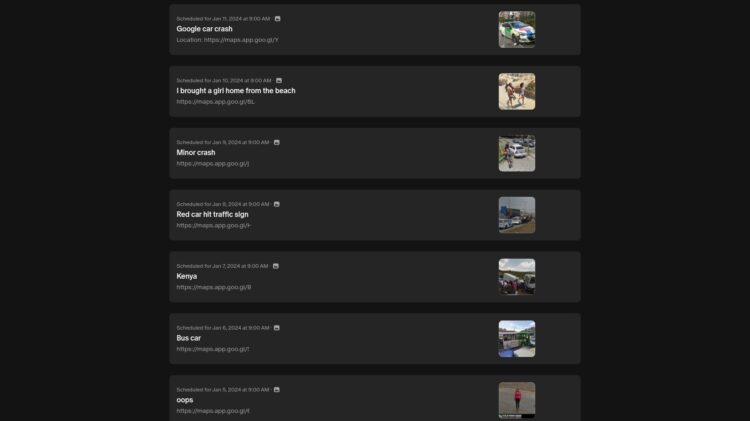

Travel planning has changed in big ways over the past decade. While traditional maps still have their place, digital tools like Google Street View let you explore a destination before you even leave home.
As of 2023, Google Maps is the most downloaded navigation app in the US. Many use Google Street View, in particular, to find their way around specific places.
Whether you’re flying overseas or staying in your own country, Street View can help you understand your surroundings and scout local areas. It’s more than just looking at a street; it’s about previewing real life.
This visual tool gives you access to panoramic images taken from the street level. You can view buildings, street signs, local businesses, sidewalks, and more. That kind of access gives travelers the chance to plan smarter, especially when time, budget, and comfort are important.
Here are a few ways you can make the most of Google Street View when planning a trip.
Explore Neighborhood Vibes Before Booking
One of the biggest surprises people face on vacation is realizing their hotel or rental isn’t where they imagined. That cozy-sounding “charming hideaway” might be right next to a construction site. Or the downtown condo with “easy access to shops” might actually be in a noisy industrial area.
Google Street View lets you move around the block and see exactly what surrounds your accommodations. You can examine sidewalks, parking areas, and general cleanliness. You might find hidden gems too, like local bakeries, vintage shops, or parks.
These details shape your experience. They also help when you’re deciding between multiple vacation spots. Instead of trusting only reviews or photos from rental sites, you can see what it looks like for yourself. That confidence can help you relax more once you arrive.
Check for Parking and Walking Access
Another thing you won’t always get from listings or hotel descriptions is how easy it is to get around on foot or by car.
Parking can make or break a trip, especially in busy areas. In certain parts of the world, including some cities in the US, finding parking is super difficult. With Google Street View, you can check for street parking, garages, or private driveways. You don’t want to drive around a city you don’t know, searching for a safe place to park every night.
The tool also shows you how walkable the area is. Are there sidewalks? Crosswalks? Are there benches or streetlights?
The US, in particular, doesn’t have a lot of walkable places. The walkability situation in many other places around the world is far worse. But when you’re planning a trip, keeping these things in mind is a must. These little things matter more when you’re with family or traveling with someone older or younger.
Knowing what to expect while walking means you’ll spend less time figuring things out and more time enjoying your trip.
Checking the Condition of the Roads
No one wants their vacation interrupted by car trouble, long detours, or rough roads. If you’re driving, even part of the way, Street View can help you judge whether the roads are well-maintained.
Take Nashville as an example, where road conditions become especially important. The city has a history of flooding, most notably during the May 2010 flood, which caused massive damage. While repairs have been made, some areas still deal with recurring water issues. In fact, even to this day, the city is having to deal with the occasional flash floods.
If you’re looking at Nashville vacation rentals, especially in the city’s lower-lying parts, use Street View to check for signs of previous water damage. Cracked pavement, overgrown lots, or flood-prone bridges could signal a problem.
According to Music City Loft, the top vacation rentals in Nashville are located in scenic locations with amazing amenities. Even then, when you’re planning trips to such rentals, it’s always a good idea to get a glimpse of the road conditions beforehand. Street View helps make sure you’re comfortable with the trip from start to finish.
Preview Real-Time Travel Routes
Beyond your main destination, you’ll likely plan short trips nearby, like restaurants, parks, museums, and more. With Google Street View, you can map those out visually.
You can check the best routes for walking, driving, or biking. Is the walk to the museum safe? Is the route to that popular lookout point scenic or stressful?
Doing this in advance helps you estimate time better and find smarter paths. You might also uncover local shortcuts or avoid areas under construction. It’s not just about saving time; it’s about feeling in control.
Nothing ruins the first day of a vacation more than being lost or stuck in traffic without a plan. Even if you use GPS on your trip, having that mental map in advance can reduce anxiety.
Frequently Asked Questions (FAQs)
How does Google Street View manage to offer such clear photos of the roads and surroundings?
Google Street View uses high-resolution cameras mounted on cars, trikes, and even backpacks to capture 360-degree images. These photos are processed with advanced software to stitch scenes seamlessly and blur personal details. Frequent updates and AI enhancements help ensure clarity, accuracy, and up-to-date visuals.
Why is route planning important before a trip?
Route-planning helps avoid delays, reduce fuel costs, and ensure timely arrivals by identifying the best paths in advance. It also prepares you for road conditions, tolls, or detours. With a plan, you travel more confidently, saving time and reducing stress, especially in unfamiliar areas.
Can you use Google Street View to discover new dining places?
Yes, Google Street View lets you visually explore neighborhoods and spot restaurants you might miss in standard search results. You can check how busy or appealing a place looks and even view nearby dining options, making it a helpful tool for food discoveries.
Using Google Street View is like scouting your trip with your own eyes, before setting foot there. It brings peace of mind by removing uncertainty. Whether it’s the condition of a road or the vibe of a neighborhood, these are details that shape your travel experience.
Taking time to explore your key destinations through Street View can make your trip smoother and more enjoyable. You’ll arrive with a sense of familiarity and purpose, ready to explore, relax, and enjoy each moment, instead of reacting to surprises.
Similar Street View images
 Rethinking What Makes a Trip Feel Worthwhile
How to Choose Tourist Accommodation: Tips for a Comfortable Stay
Rethinking What Makes a Trip Feel Worthwhile
How to Choose Tourist Accommodation: Tips for a Comfortable Stay
 Interesting and Useful Facts About Solo Travel in the United States
How Has Technology Changed Education
Tips for Students Struggling to Find Inspiration for Essay Writing
Seven tricks: How to write an essay quickly
Interesting and Useful Facts About Solo Travel in the United States
How Has Technology Changed Education
Tips for Students Struggling to Find Inspiration for Essay Writing
Seven tricks: How to write an essay quickly
 A Cabin, A Fire, A View: Gatlinburg for Couples
Pamukkale: The Magical Wonder of Calcified Pools – Nature’s Enchanting Retreat
A Cabin, A Fire, A View: Gatlinburg for Couples
Pamukkale: The Magical Wonder of Calcified Pools – Nature’s Enchanting Retreat
 What Makes Beach Towns the Perfect Family Getaway
 The latest Google Street View in South Korea?